Getting in the Zone

Over the course of a day, you breathe through different nostrils, The left nostril oxygenates the right brain and the right nostril the left.

Neurons don’t store oxygen, they need to be fed it.

This visualisation is a great way to prepare for any creative project.

It both energises and balances both sides of the brain.

Once you learn the sequence, you can do all or part of it at any time to give you an extra boost throughout the day.

DO NOT LISTEN TO THIS WHILE DRIVING, FLYING A JUMBO JET OR OPERATING MACHINERY


Getting in The Zone

Before you listen to this visualisation, stare at the infinity image for 30 seconds so it is impressed on your Mind’s Eye.

If you have an iPhone, iPad or MP3 player, you can download it here …

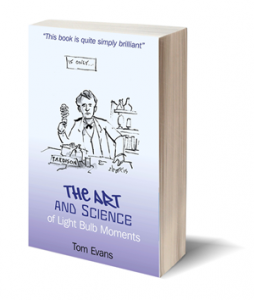
If you would you like to learn more about these techniques, make sure you get a copy of Tom’s new book to find out where ideas really come from and how you can make sure yours actually happen …

The Art and Science of Light Bulb Moments

Related blogs:

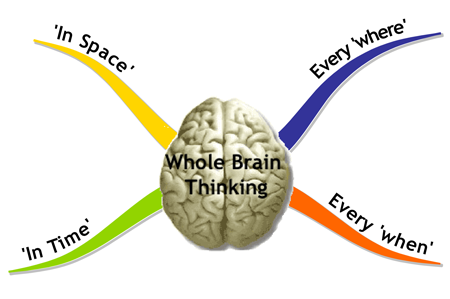
Whole Brain Thinking

The Inspirational Breath

Cross Crawling

Mapping your Mind

Food for Thought

Which side are you on?

Recipes for your Thoughts

Jackie WalkerLast year I uncovered, or rediscovered, the amazing toolset which has manifested itself in the form of the book Flavours of Thought and a gastronomic recipe called the Cube of Karma.

I can think of no better way to summarise what it’s all about than this wonder-full testimonial from Master Chef, and soon to be Cube Tour Guide, Jackie Walker.

iPad, iPhone or no Flash? Listen here …
To buy the book, visit Flavours of Thought

Find out more about the Cube of Karma here

Bespoke Recipes

If you have an issue, an opportunity or something you need some enlightenment on, let me craft a bespoke recipe for your thoughts. I will craft a new concoction from the Flavours of Thought that will open new doors for you.

How does this work?

In just 45 minutes over the phone anywhere in the world, I can give you an insight and direction that will change your world forever. By tuning into your words and messages from your Higher Self at the same time, incredible insights come in. When we then tap into the raw intelligence of the Flavours of Thought, we get straight to the heart of the matter.

It is like accessing an Oracle.

Satisfaction guaranteed

Sessions are just £99 and you are guaranteed an insight you are happy with. To book a session, just pay a deposit of £33 with PayPal below and I will contact you to book a session and guide you through the process.

In the interest of karmic balance, you only have to pay the balance of £66 when you are happy with the recipe you receive.
Buy now

ePublishing

So you’ve written your ebook but how do you get it out to the world and even start making money from it?

Option 1: PDF

Well the simplest way is as it has always been – to create a PDF file. This not only preserves the formatting of you source document but ensures it can’t [easily] be tampered with.

Most word processors have “Save as PDF …” as standard nowadays. If you don’t have one, there are loads of free or cheap plugins and online conversions tools. I won’t list any as they change all the time, just do a Google search.

Armed with a PDF, you can upload it to your site and make it the landing page for a Buy Now button or an email sign up form.

Option 2: Syndicate your PDF
There are many sites where you can now post your PDF to give it a wider readership. Here’s a few with some tips on what they are best used for.

www.bookbuzzr.com – upload PDF (with selective page control) and generate a page turning version of your book you can embed in any site

Here’s one I did earlier – Goal Setting that Works

www.issuu.com – this site allows you to embed selective pages from you book in external websites like Bookbuzzr but more geared to magazine-style formats

Here’s an article I wrote for WeCollaborate

www.myebook.com – this site doesn’t do embedding but has the amazing ability to include audio and video. This is a great way to storyboard a book before you convert it to be an Enhanced Edition book for iPad. Myebook also allows you to sell access to your book and make a controlled number of pages free as a sample.

Here’s an example of a free one I did to market test an idea I had for a book on writer’s block called Wordlube

Option 3: ePublish your eBook
The third, and most exciting and profitable method however, is to create an ebook you can sell via one of the online stores like the Amazon Kindle and Apple iBookstore.
As I mentioned in the earlier articles in this series, some years ago a PDF was synonymous with ebook but now an ebook refers to a book you can read on an ereader or iPad. Just to confuse matters, you can read PDF’s on all ereaders and tablets. There is nothing to stop people copying and forwarding ‘PDF ebooks’. If however you convert upload your book to the Amazon Kindle Platform or the Apple iBookstore, they add copy protection in the form of Digital Rights Management.
This means the reader can read it on any of their devices but can’t share it with others. For this service, and others, Amazon and Apple retain 30% of the revenue.
Note that anyone can easily get an account with Amazon Kindle but only publishers of many titles can get Apple iBookstore accounts. The best route for the latter is to use an assisted or traditional publisher or an aggregator like www.smashwords.com or www.lulu.com. Of course, they will take additional margin from sales for providing this service.

Get your free Amazon account here

There are a few hoops to jump through to professionally format books for ereaders and tablets which anyone with reasonable IT or HTML skills can master.

Alternatively, you may also like to look at a wonderful new UK-based company called CompletelyNovel who have a fab and inexpensive service for both print and ebook publishing.

Finally, if you want your ‘book’ to have real go-faster stripes, you can create a dedicated app for iPhone, iPad or Android. Here you can embed rich functionality by giving the user the ability to interact with the book. For example, you can include user input into the book in the form of journalling or even interaction with the author. Content can also be dynamic where external ‘live’ content such as news feeds or geo-coded information. The limits are ones of imagination and budget.

Also see Do iApp or do iBook? for more information and watch this video which is almost vintage being a year old but still shows some of the possibilities available very well …

Related posts

eReading

eWriting

eWriting

… a fresh approach to creating an eBook

Sales of ebooks are predicted to overtake paperback books by 2014. For authors especially, simply to bury your head in the sand by saying you prefer a printed book is not an option. Aside from any other consideration, increased royalties make writing with the ‘ereader’ in mind a prudent strategy.

An ebook can, of course, be an electronic copy of a pre-existing printed book. If, however, you are writing a book from scratch, there are some benefits for both you and the ‘ereader’ to adopting a slightly different approach. Note that this article mainly relates to writing of non-fiction.

The new breed of reader
The term ‘ereader’ can now refer to both the device itself and the person holding the device. Personally, I am favouring reading non-fiction on my iPad but still reading fiction in print. The reason for this is to do with reading patterns.

For me fiction is something I read curled up on the sofa at weekends or relaxing on holiday – both in long reading sessions when I can get lost in the book. Non-fiction is something I absorb perhaps a chapter at a time while commuting, in between meetings or in bed at either end of the day. I may dip back into a book for research later and often I may even read a book out of sequence; just diving into specific chapters that take my fancy.

Different devices
eBooks can, of course, be read on a desktop or laptop computer. The Amazon Kindle device with its e-ink display that can be read in bright sunlight is becoming the ‘Hoover’ of the eReader world. The fact it currently has a monochrome display should be born in mind when it comes to both cover design and embedded images.
iPads have the advantage of a larger, colour display and the ability to have audio and video embedded in the ‘book’. Don’t try and read one outside on a sunny day though.

Smartphones, typically iPhones, are also potential target devices but of course have a smaller display to consider. Making your books readable on a phone gives you access to a huge market of commuters and those with short attention spans.

For all devices, as text can be resized by the reader, the concept of page numbers flies outside the window.

A different approach
So bearing all of this in mind, content needs to be delivered in a slightly different way. Here’s my top seven tips which you will note are used in this article:

  1. Include a hyperlinked table of content.
  2. Summarise each chapter in bullets at the start or the end for the speed, skimming reader.
  3. Make sure you use structured headings – Heading 1, Heading 2 etc – and no fancy formatting (unless you know what you are doing).
  4. Restrict chapter lengths to around 1500 words – i.e. 6 or so pages in a standard book – and keep chapter lengths balanced and around the same time.
  5. Less is more – be brief, be concise – don’t use more words than necessary.
  6. Ensure images work in both monochrome and colour.
  7. Read your book out loud before ‘publishing’ it. If you find yourself pausing for breath, you need punctuation. Record it too and generate an audio book at the same time.

Related posts

eReading

ePublishing

In summary
Using all of these tips also works in favour of the writer. You could, for example, write a book a bit at a time as a blog or set of articles. For example, I am leaving this series open so it can morph into a book if it merits it and generates interest. This is a great way of testing the market. Book writing then becomes less of a marathon and more of an enjoyable daily routine.

  • Be mindful of the person reading an ebook
  • Be aware of the different types of ereader devices
  • Make your job as a writer much easier

I’ve written two books recently in small chunks, a day at a time specifically with ‘ereaders’ in mind – they are currently being merged and republished as one bigger book in print …

  • Flavours of Thought: Recipes for Fresh Thinking
  • The Little Book of Floughts

For more information on both, see www.flavoursofthought.com

Originally written for and posted in www.iaccw.com

eReading

If I was writing this article just five years ago, when asked what an ebook is, I would probably have said a PDF. Where PDF is an acronym for Portable Document Format which, unlike say an Word document, is read-only and retains all the source formatting and layout.

Nowadays, with the increasing ubiquity of ereaders, it might be tempting to define an ebook as something you downloaded to be read on an Amazon Kindle or Apple iPad. To make matters slightly more confusing, the humble PDF can be read on both devices.

Where a PDF essentially differs from a book formatted for an ereader is that the latter, be it in ePub, HTML5 or the techie format, tends to be copy protected and tied to the purchaser’s account – not even their device. This means they can read it on their Kindle, iPhone and computer if they own all three.

Neither of these descriptions however fully defines what an ebook is or can be.

Before I explain, although I am a technophile and even writing this article on an iPad, as a reader, I am a big fan of the printed book. Specifically, I much prefer reading fiction in print but now favour the ‘ebook’ for non-fiction.

As an author though, I am both agnostic and catholic about how readers of my books engage with them. An ebook in my eyes (and ears) is simply any of my content which isn’t print and that is delivered by electronic means. I want the reader to choose how they engage with my work.

The publishing industry is going through the same transition as did the music industry 10 or so years ago. In some ways and in some areas, it is even overlapping and merging with it. One of the reasons being that the ebook is just about to come of age.

Now an obvious format for an ebook is audio. This allows those with visual impairments to enjoy a ‘good book’. Many people like commuters and those with dyslexic different-abilities might prefer auditory input.

The exciting developments in the ebook arena are the Enhanced Edition book and the mobile app. In addition to the rich functionality offered by these two developments, the ebook and app also come with the potential of royalties of up to 70% for the enterprising author. All of this is of course in a context where the number of target devices is in the millions and growing daily.

If I now have your attention, let me explain what they both are. Enhanced Edition books allow you to embed multimedia elements like audio and video inside a book. Good use of this format are books like Knitting for Dummies and Yoga in Bed.

For ‘ebooks’ which are apps, even richer functionality is possible. For example, user input such as completing exercises or a journal or even engaging in dialogue with the author. Content can also vary depending on date, location or user type. The latter could be dependent on parameters such as age or subscription level.

With all this choice, it would be easy to get carried away. Baby steps are advisable and market testing is essential. The future is very bright for both authors and publishers who embrace the possibilities that are opening up. The caveat being that the reader, listener and viewer is the ultimate judge of what is good use of the technology.

Related posts

eWriting

ePublishing

Some example links

Example of an ebook with embedded audio and video – Wordlube

Enhanced Edition : Yoga in Bed

A discussable book – 140 Characters the Short Form

A multimedia app : Elements a Visual Exploration

Originally written for and posted in www.iaccw.com

Making Time

There are two really common reasons why authors and bloggers get writer’s block.

The first is a lack of inner confidence about their writing ability.

The second is a belief that they simply don’t have the time to write.

These first types of blocks caused by lack of confidence can be caused by an innocent criticism of something written earlier – like an essay that got a black mark at school perhaps.

The solution is to identify the old gestalts and replace them with new patterns that are much more useful. Note though that this doesn’t mean deleting bad memories though as these are useful source material for a writer.

Incidentally, these first type of blocks are something I deal with in more detail in my book Blocks …

To deal with the second type of block, perceived lack of time, there are many excellent books on how to improve your time management. One I specifically recommend for authors is Time Management for Dummies by Clare (no relation) Evans.

Books like this are brilliant at pointing out where you can claw back time by better managing your day. Additionally, I would like to propose a more lateral and fundamental approach to time management – and that’s to change the perceived speed of time itself.

Now this might seem far fetched, or in the realms of Doctor Who or Back to the Future, but scientists are coming to the conclusion that our reality – our space and time – are linked to our consciousness. In fact, it’s more accurate to say that it’s our very consciousness that actually creates our reality. So all you need to do to change time is to make a change in your consciousness.

I am sure you have heard about athletes who have been “in the zone” – a sort of timeless place – or perhaps you have had a light bulb moment where in less than a second, you get a flash of inspiration – a whole picture for a new idea. If you were able to MRI scan your brain at this moment, you would see both the right and left hemispheres light up in synchronism. For that split second you were Whole Brain (or even Whole Mind) Thinking. A brain scan would show that your brain was generating alpha and probably even theta waves.

Now you can access this state while meditating. When I mention this to authors, their first reaction is that they don’t have time to meditate. I know it sounds counter-intuitive but I can testify that 20-30 minutes meditation before a writing session will deliver not only the time back by a factor of 3 or 4 but also much better quality writing.

“But I can’t make my mind go quiet,” is normally the next protest swiftly followed by, “I’d like to meditate but I don’t have time to learn how.”

Well, if you hear yourself saying this, help is now at hand. You don’t need necessarily to enter an ashram.

This visualisation will help you experience the meditative state in just 11 minutes …

iPad or no Flash? Listen here

After you’ve listened to it a few times, you will even find it easier to enter the meditative state while you are in what is normally thought of as the waking state.

For a writer, this become significant as time seems to stretch out so that in a single hour you write what would normally take a whole morning or afternoon.

The benefits to your productivity are therefore immense and you will be amazed at your output in all areas of your life. People who have used machines even get comments of how well they look.

Addendum:

I can highly recommend reading Steven Taylor’s excellent book called Making Time – it explains in great detail on how this all works and how you can start to control time to your advantage.

More details on Making Time here …

For more details on my book Blocks and the accompanying visualisations – see here